


Cleaning a drain camera is a crucial maintenance task that ensures the longevity and optimal performance of this essential tool. As a supplier of high - quality drain cameras, including CCTV Drain Inspection Cameras, Self Leveling Drain Camera, and Professional Portable Mini 20mm Drain Camera for Sewage and Pipeline Inspection, I understand the importance of proper cleaning procedures. In this blog, I will share some effective methods to clean a drain camera.
Why Cleaning a Drain Camera is Important
Drain cameras are used in harsh environments filled with dirt, debris, grease, and sewage. If not cleaned regularly, these contaminants can accumulate on the camera lens, cable, and other components. A dirty lens can lead to blurry or unclear images, making it difficult to accurately assess the condition of the drain. The cable, which is often dragged through the drain, can also become coated with substances that may cause it to stiffen or even damage the internal wiring over time. Additionally, bacteria and other pathogens in the sewage can pose a health risk if not properly removed from the camera.
Pre - Cleaning Preparation
Before starting the cleaning process, it is essential to take some safety precautions. First, ensure that the drain camera is powered off. This will prevent any electrical accidents during the cleaning process. Wear appropriate personal protective equipment (PPE), such as gloves and goggles, to protect yourself from the dirty water and potential pathogens.
Next, prepare a cleaning area. Choose a well - ventilated space where you can lay out the drain camera components. You will need a container filled with warm, soapy water. A mild dish soap is usually sufficient for most cleaning tasks. You may also need some soft - bristled brushes, a microfiber cloth, and a clean, dry towel.
Cleaning the Camera Head
The camera head is the most critical part of the drain camera, as it captures the images. Start by gently rinsing the camera head under running water to remove any loose debris. Then, dip a soft - bristled brush into the soapy water and carefully scrub the lens. Be very gentle to avoid scratching the lens, as even a minor scratch can significantly affect the image quality.
After scrubbing, rinse the camera head thoroughly under running water to remove all the soap. Use a microfiber cloth to dry the camera head gently. Make sure that there is no water left on the lens or any other part of the camera head. If there are stubborn stains on the lens, you can use a small amount of isopropyl alcohol on a clean cloth to wipe them away. However, be careful not to use too much alcohol, as it may damage the lens coating.
Cleaning the Cable
The cable of the drain camera is often the most exposed part to dirt and debris. Begin by laying the cable out in a straight line. Use a soft - bristled brush to scrub the cable gently with the soapy water. Pay special attention to the areas where the cable has been in contact with the drain walls, as these are likely to have the most dirt.
As you scrub, move the brush along the length of the cable to ensure that all parts are cleaned. If there are any kinks or tight bends in the cable, take extra care when cleaning these areas. After scrubbing, rinse the cable thoroughly under running water. You can also use a hose to ensure that all the soap and dirt are removed.
Once the cable is rinsed, use a clean, dry towel to pat it dry. It is important to dry the cable completely to prevent rust and corrosion. If possible, let the cable air - dry for a few hours before storing it.
Cleaning the Control Unit
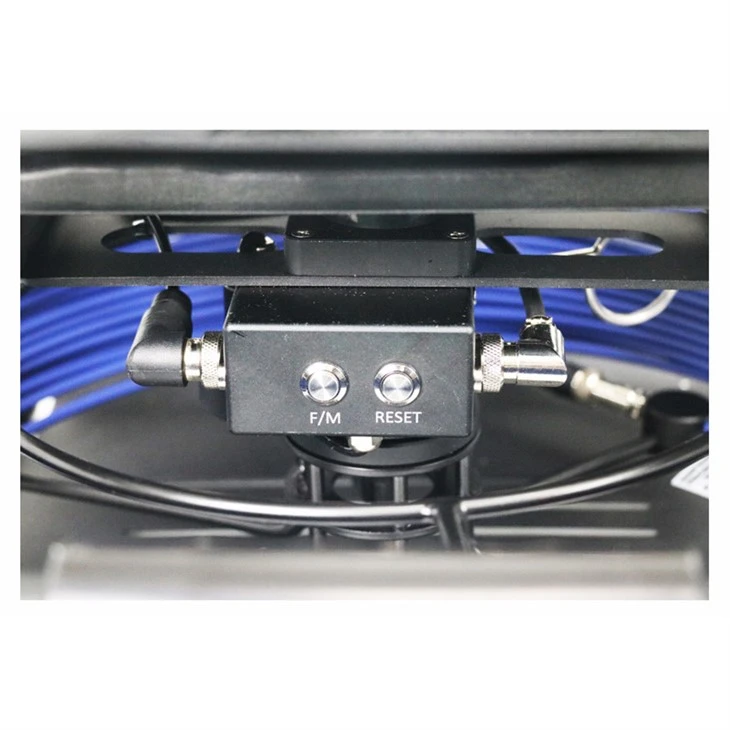
The control unit of the drain camera also needs to be cleaned regularly. Start by using a dry microfiber cloth to wipe the exterior of the control unit. This will remove any dust or fingerprints. If there are any stubborn stains, you can dampen the cloth slightly with water and a small amount of mild soap.
Be careful not to let any water get into the control unit through the ports or buttons. After wiping, use a dry cloth to ensure that the control unit is completely dry. If the control unit has a screen, use a screen - cleaning solution and a microfiber cloth designed for screens to clean it gently.
Lubricating the Moving Parts
Some drain cameras have moving parts, such as joints or hinges. After cleaning, it is a good idea to lubricate these parts to ensure smooth operation. Use a silicone - based lubricant, as it is suitable for use in wet environments and will not attract dirt. Apply a small amount of lubricant to the moving parts and work it in gently.
Storage After Cleaning
Proper storage is also an important part of maintaining a drain camera. After cleaning and drying all the components, store the drain camera in a clean, dry place. You can use a storage case to protect the camera and its components from dust and damage. Make sure that the cable is coiled neatly and not tightly wound, as this can cause kinks and damage to the cable over time.
Frequency of Cleaning
The frequency of cleaning a drain camera depends on how often it is used. If the drain camera is used frequently in dirty drains, it should be cleaned after each use. For less frequent use, cleaning once every few uses is usually sufficient. Regular cleaning will not only extend the lifespan of the drain camera but also ensure that it provides accurate and clear images during inspections.
Troubleshooting During Cleaning
If you encounter any problems during the cleaning process, such as a damaged cable or a malfunctioning camera head, it is important to address them immediately. Check the manufacturer's instructions for troubleshooting tips. In some cases, you may need to contact the manufacturer or a professional technician for further assistance.

Conclusion
Cleaning a drain camera is a relatively simple but essential task. By following the steps outlined above, you can keep your drain camera in excellent condition and ensure that it provides reliable performance. As a supplier of high - quality drain cameras, we are committed to helping our customers maintain their equipment. If you are interested in purchasing a drain camera or have any questions about cleaning or maintenance, please feel free to contact us for further information and to discuss your procurement needs.
References
- Manufacturer's manuals of drain cameras
- Industry best practices for drain camera maintenance


