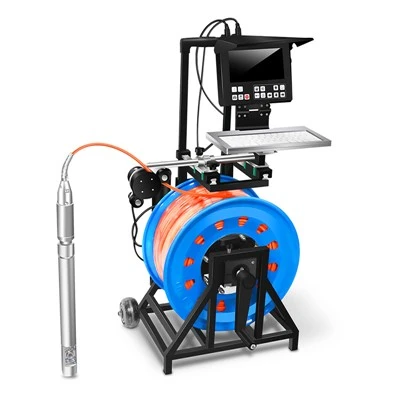
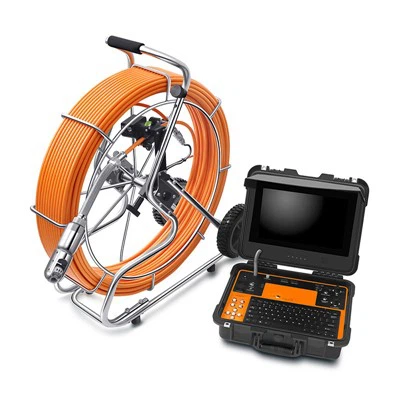
Hey there! As a supplier of drain inspection cameras, I've seen firsthand how these nifty tools can make a world of difference in plumbing and drainage work. But like any piece of equipment, they need proper maintenance to keep them in top - notch condition. In this blog, I'll share some tips on how to maintain a drain inspection camera.
Regular Cleaning
One of the most basic yet crucial steps in maintaining a drain inspection camera is regular cleaning. After each use, the camera head and the cable can get covered in dirt, debris, and even some pretty yucky stuff from the drains.
Start by wiping down the camera head. Use a soft, lint - free cloth dampened with a mild cleaning solution. Avoid using abrasive materials that could scratch the lens, as a scratched lens can severely affect the camera's image quality. For the cable, you can use a gentle brush to remove any stubborn dirt. Make sure to clean the entire length of the cable, especially the areas that were in contact with the drain.
If your camera has a pan - tilt feature, like our Pan Tilt Portable Drain Sewer Camera, pay extra attention to cleaning the moving parts. Dirt and grime can build up in the joints and affect the smooth operation of the pan - tilt mechanism. A little bit of cleaning can go a long way in ensuring that the camera can move freely and capture all the necessary angles.
Storage
Proper storage is another key aspect of maintenance. When you're not using the drain inspection camera, you don't want it lying around in a messy pile. First, make sure the camera is completely dry before storing it. Moisture can lead to corrosion and damage to the internal components.
Coil the cable neatly. Avoid sharp bends or kinks, as these can damage the internal wiring of the cable. You can use cable ties or a cable management system to keep the coil in place. Store the camera in a cool, dry place. Extreme temperatures and humidity can be harmful to the camera's electronics.
If you have a more advanced camera, like the 33mm Pan Tilt Rotation Sewer Drain Pipe Inspection Camera 30Mtr, which comes with a larger cable and more features, consider using a dedicated storage case. A good storage case will protect the camera from dust, physical damage, and even accidental knocks.
Battery Care
Most drain inspection cameras are battery - powered. Taking care of the batteries is essential for the overall performance of the camera. First, follow the manufacturer's instructions for charging. Overcharging or undercharging the batteries can reduce their lifespan.
If you're not going to use the camera for an extended period, remove the batteries and store them separately. This helps prevent battery leakage, which can damage the camera. Also, keep an eye on the battery's health. If you notice that the battery is not holding a charge as well as it used to, it might be time to replace it.
Check the Connections
Regularly check all the connections on the drain inspection camera. Loose connections can cause issues such as poor image quality, intermittent power, or even complete failure of the camera. Make sure that the cable is securely connected to the camera head and the monitor.
Inspect the connectors for any signs of damage, like bent pins or corrosion. If you find any issues, clean the connectors carefully or replace them if necessary. A simple check of the connections can save you a lot of headaches down the line.
Software Updates
Many modern drain inspection cameras come with software that allows for features like image capture, video recording, and data storage. It's important to keep this software up - to - date. Software updates often include bug fixes, performance improvements, and new features.
Check the manufacturer's website regularly for software updates. Follow the instructions carefully when installing the updates. Sometimes, a software update can solve problems that you might be experiencing with the camera, like slow performance or inaccurate readings.
Calibration
Periodically, you may need to calibrate your drain inspection camera. Calibration ensures that the camera is providing accurate images and measurements. If your camera has a measurement function, calibration is especially important.
Refer to the user manual for instructions on how to calibrate the camera. It usually involves a series of steps, such as placing the camera at a known distance from an object and adjusting the settings accordingly. Calibrating the camera regularly will give you more reliable results when inspecting drains.


Inspect the Camera Head
The camera head is the most critical part of the drain inspection camera. Regularly inspect it for any signs of damage. Look for cracks in the lens, loose parts, or any other visible issues. If you notice any damage, don't try to fix it yourself unless you have the necessary expertise. Instead, contact the manufacturer or a professional repair service.
A damaged camera head can lead to poor image quality or even complete failure of the camera. By catching any issues early, you can avoid more costly repairs or replacements in the future.
Professional Servicing
Even if you follow all the maintenance steps, it's a good idea to have your drain inspection camera professionally serviced once in a while. A professional technician can perform a thorough inspection of the camera, check for any hidden issues, and make any necessary repairs.
Professional servicing can also extend the lifespan of your camera. They have the tools and expertise to diagnose and fix problems that you might not be able to detect on your own. Many manufacturers offer servicing packages, so it's worth looking into.
Conclusion
Maintaining a drain inspection camera is not rocket science, but it does require some attention and effort. By following these simple steps, you can ensure that your camera stays in good working condition for a long time. Whether you're a professional plumber or someone who uses the camera for occasional DIY projects, proper maintenance will give you more reliable results and save you money in the long run.
If you're in the market for a new drain inspection camera or need more information on maintenance, feel free to reach out to us. We're always happy to help you find the right camera for your needs and provide advice on how to keep it in great shape. Check out our Drain Pipe Inspection Camera range for high - quality options.
References
- Manufacturer's user manuals for drain inspection cameras
- Industry best practices for equipment maintenance