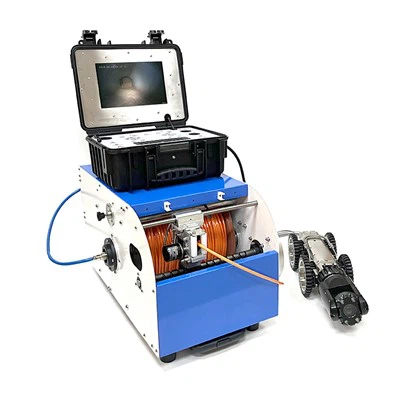
Hey there! As a supplier of pipe crawlers, I often get asked this question: Can a pipe crawler be connected to a computer? Well, let's dive right into it and explore the ins and outs of this topic.
First off, let me give you a bit of background on what a pipe crawler is. A pipe crawler is a nifty piece of equipment that's designed to navigate through pipes, whether they're small or large. It's equipped with cameras and sensors that can capture images and data about the inside of the pipes. This is super useful for a whole bunch of industries, like plumbing, sewer maintenance, and even industrial pipeline inspections.
Now, back to the main question: Can it be connected to a computer? The short answer is yes! In fact, connecting a pipe crawler to a computer is becoming more and more common these days. There are several reasons for this.
One of the biggest advantages of connecting a pipe crawler to a computer is the ability to view and analyze the data in real - time. When the crawler is in the pipe, it sends the video feed and sensor data straight to the computer. This allows operators to see exactly what's going on inside the pipes without having to wait until the crawler comes out. They can spot issues like cracks, blockages, or corrosion right away and make informed decisions on how to fix them.

Another benefit is the ease of data storage and management. Once the data is on the computer, it can be saved, organized, and shared easily. You can create reports, compare data from different inspections, and even use it for future reference. This is a huge time - saver compared to traditional methods of data collection, which often involved manual note - taking and physical storage of tapes or discs.
So, how does the connection work? There are a few different ways to connect a pipe crawler to a computer. One common method is through a wired connection. Most pipe crawlers come with a cable that can be plugged into the computer's USB port. This provides a stable and reliable connection, ensuring that the data is transferred without any interruptions.
Some pipe crawlers also support wireless connections. This is great for situations where running a cable is not practical, like in large industrial complexes or outdoor pipelines. With a wireless connection, the crawler can send the data to a computer within a certain range. However, it's important to note that wireless connections can be affected by interference, so the signal may not always be as strong as a wired one.
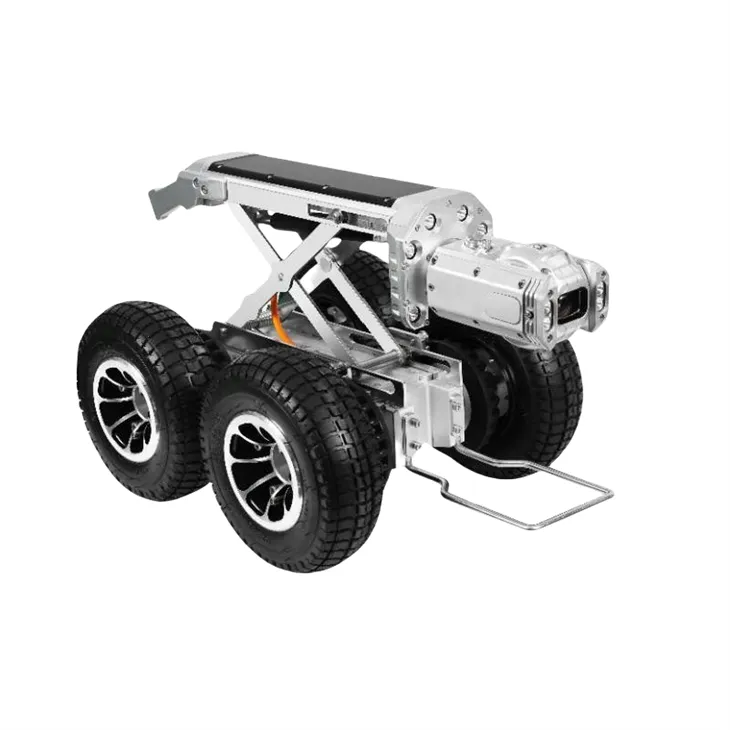
Let's talk about the types of pipe crawlers that can be connected to a computer. There are various models available on the market, each with its own features and capabilities. For example, the CCTV Tractor Camera is a popular choice. It's designed to move through pipes smoothly and capture high - quality video footage. The data it collects can be easily transferred to a computer for analysis.
Another option is the Pipe Robot. This type of crawler is more advanced and can be programmed to perform specific tasks. It can also be connected to a computer, allowing operators to control its movements and access the data it collects.
The Pipe Crawler Camera is also a great choice. It's compact and easy to use, making it suitable for a wide range of applications. When connected to a computer, it provides a clear view of the inside of the pipes, helping to identify any potential problems.
When it comes to software, most pipe crawlers come with their own dedicated software that can be installed on the computer. This software is designed to display the video feed, manage the data, and perform various analysis functions. Some software even allows you to create 3D models of the pipes based on the data collected by the crawler.
However, it's important to make sure that your computer meets the system requirements for the software. This usually includes having a certain amount of RAM, a compatible operating system, and a graphics card that can handle the video display.
In addition to the software, you may also need some additional hardware to make the connection work. For example, if you're using a wireless connection, you may need a wireless adapter for your computer. And if you want to print out reports or save the data to an external drive, you'll need the appropriate printers and storage devices.
So, if you're in the market for a pipe crawler and you're thinking about connecting it to a computer, there are a few things to keep in mind. First, consider your specific needs and requirements. Think about the size of the pipes you'll be inspecting, the type of data you need to collect, and the level of control you want over the crawler.
Second, do your research on the different models available. Look at the features, capabilities, and prices of each model to find the one that's right for you. And don't forget to read reviews from other users to get an idea of how well the crawler performs in real - world situations.
Finally, if you have any questions or need more information, don't hesitate to reach out. As a pipe crawler supplier, I'm here to help you make the best decision for your business. Whether you're a small plumbing company or a large industrial facility, we have the right pipe crawler for you.
If you're interested in purchasing a pipe crawler or want to discuss your requirements further, feel free to get in touch. We can provide you with detailed product information, pricing, and even arrange a demonstration if needed. Let's work together to find the perfect solution for your pipe inspection needs.
References
- General knowledge of pipe crawler technology and computer connectivity from industry experience.
- Product specifications and information from pipe crawler manufacturers.