


As a supplier of 100m Water Well Cameras, I understand the importance of ensuring these devices operate at their best. These cameras are invaluable tools for inspecting water wells, boreholes, and other underground structures. However, like any piece of equipment, they can encounter problems. In this blog, I'll share some common issues you might face with a 100m Water Well Camera and how to troubleshoot them.
1. Camera Not Powering On
One of the most common problems users encounter is the camera not powering on. This can be frustrating, especially when you're in the middle of an inspection. Here are some steps to troubleshoot this issue:
Check the Power Source
The first thing you should do is check the power source. Make sure the battery is fully charged or that the power cable is properly connected to a reliable power supply. If you're using a battery, try charging it fully and then reconnecting it to the camera. If the camera is powered by an external power source, check the outlet to ensure it's working. You can test the outlet by plugging in another device.
Inspect the Power Cable
Sometimes, the problem lies with the power cable. Look for any signs of damage, such as cuts, frays, or loose connections. If you find any damage, replace the cable with a new one. You can find compatible power cables for our Water Well Inspection Camera on our website.
Check the Camera's Power Switch
Ensure that the camera's power switch is in the "on" position. Sometimes, the switch can be accidentally turned off during transportation or handling. If the switch seems to be stuck or not working properly, contact our customer support team for further assistance.
2. Poor Image Quality
Another common issue is poor image quality. This can make it difficult to accurately inspect the well or borehole. Here are some possible causes and solutions:
Dirty Lens
A dirty lens can significantly affect the image quality. Use a soft, clean cloth to gently wipe the lens. Avoid using abrasive materials that could scratch the lens. If the lens is extremely dirty, you can use a small amount of lens cleaning solution. Make sure to follow the manufacturer's instructions when using the cleaning solution.
Low Lighting Conditions
Insufficient lighting can also result in poor image quality. Most 100m Water Well Cameras come with built-in lights. Check if the lights are working properly. If they're not, it could be a problem with the light bulbs or the wiring. Replace the bulbs if necessary. You can also consider using an external light source to improve the lighting conditions inside the well.
Camera Focus Issues
If the image appears blurry, it could be a focus problem. Some cameras have an auto-focus feature, while others require manual focusing. If your camera has auto-focus, make sure it's enabled. If you need to manually focus the camera, refer to the user manual for instructions on how to do it.
3. Cable Problems
The cable is an essential part of the 100m Water Well Camera system. It's used to lower the camera into the well and transmit the video signal. Here are some common cable problems and how to solve them:
Cable Tangling
Cable tangling can occur during deployment or retrieval of the camera. To prevent tangling, make sure to properly coil and store the cable when not in use. When deploying the camera, pay attention to how the cable is being unwound to avoid twists and knots. If the cable does get tangled, carefully untangle it. Do not pull on the cable forcefully, as this could damage it.
Cable Damage
The cable can get damaged due to abrasion, cuts, or being pinched. Inspect the cable regularly for any signs of damage. If you find any damage, replace the affected section of the cable. You can purchase replacement cables for our Borehole Inspection Camera from our online store.
Signal Loss
Signal loss can occur if the cable is damaged or if there's a problem with the connection between the camera and the monitor. Check all the connections to ensure they're secure. If the problem persists, it could be a problem with the cable's internal wiring. In this case, you may need to replace the cable.
4. Camera Getting Stuck
Sometimes, the camera can get stuck inside the well or borehole. This can be a challenging problem to solve, but here are some steps you can take:
Check for Obstructions
Before lowering the camera, make sure the well or borehole is clear of any obstructions. If the camera gets stuck, try gently pulling on the cable to see if you can free it. Do not use excessive force, as this could damage the camera or the cable.
Use a Retrieval Tool
If pulling on the cable doesn't work, you can try using a retrieval tool. There are various types of retrieval tools available, such as hooks or magnets. Choose a tool that's appropriate for the situation. You can find retrieval tools for our Underwater Borehole Camera on our website.
Contact Professional Help
If you're unable to free the camera on your own, it's best to contact a professional. Our team of experts has the experience and tools to safely retrieve the camera from the well or borehole.
5. Software and Compatibility Issues
If your 100m Water Well Camera is connected to a computer or other device for viewing and recording the video, you may encounter software or compatibility issues.
Software Installation
Make sure you've installed the correct software for your camera. You can download the software from our website. Follow the installation instructions carefully. If you encounter any problems during the installation process, refer to the user manual or contact our customer support team.
Compatibility Problems
Ensure that your computer or other device meets the system requirements for the camera's software. If you're using an older device, it may not be compatible with the latest version of the software. In this case, you may need to upgrade your device or use an alternative device that's compatible.
Conclusion
Troubleshooting common problems of the 100m Water Well Camera can save you time and money. By following the steps outlined in this blog, you can often resolve issues on your own. However, if you're still experiencing problems after trying these solutions, don't hesitate to contact our customer support team. We're here to help you get the most out of your 100m Water Well Camera.
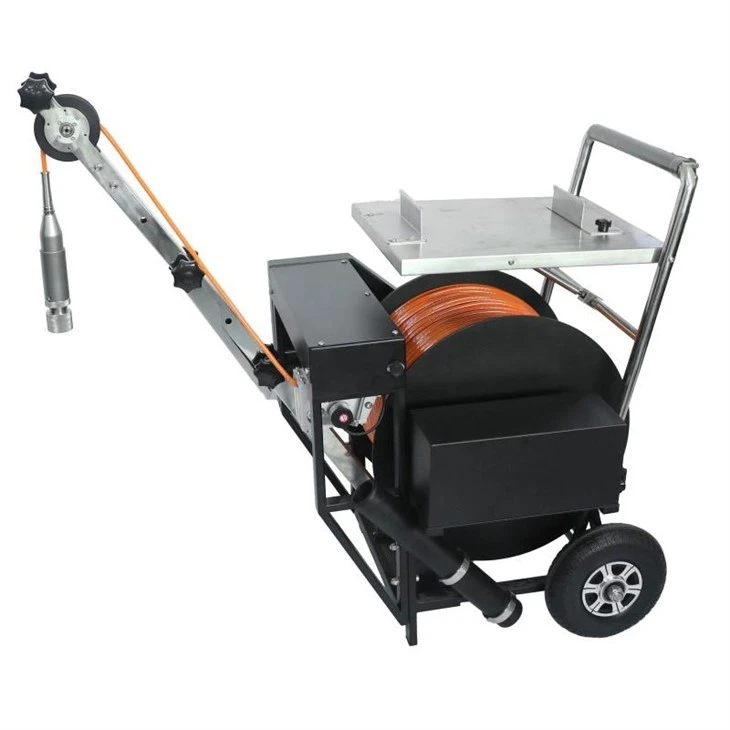
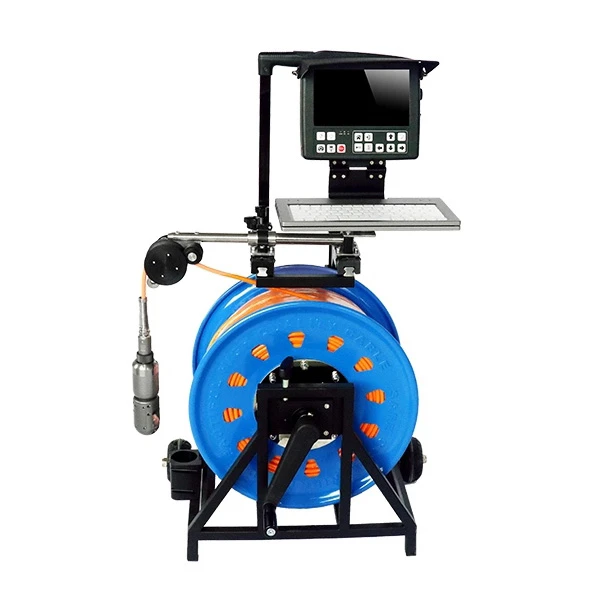
If you're interested in purchasing a 100m Water Well Camera or need further information about our products, please visit our website or contact us. We look forward to discussing your requirements and helping you find the right solution for your water well inspection needs.
References
- Manufacturer's user manuals for 100m Water Well Cameras
- Industry best practices for water well camera maintenance and troubleshooting


