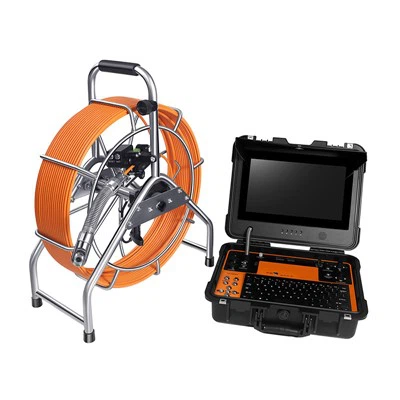
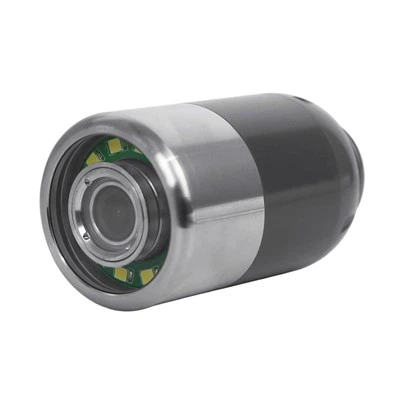
Updating the firmware of a Pipe Camera System is a crucial task that can enhance the performance, functionality, and reliability of the equipment. As a Pipe Camera System supplier, I understand the importance of keeping your devices up - to - date. In this blog, I'll guide you through the process of updating the firmware of a Pipe Camera System.
Why Update the Firmware?
Before delving into the update process, it's essential to understand why firmware updates are necessary. Firmware is the software embedded in your Pipe Camera System that controls its operations. Updates can bring several benefits:
- Improved Performance: Updates often optimize the camera's image quality, making it clearer and more detailed. This is especially important for accurate pipe inspections, as clear images can help identify issues such as cracks, blockages, or corrosion more easily.
- Enhanced Functionality: New features may be added through firmware updates. For example, an update could introduce a new measurement tool or a more user - friendly interface, improving the overall inspection experience.
- Bug Fixes: Like any software, firmware can have bugs. Updates can fix these issues, ensuring that the camera system operates smoothly and reliably.
Prerequisites for Firmware Update
Before you start the firmware update process, there are a few things you need to do:
- Check Compatibility: Ensure that the firmware update is compatible with your specific Pipe Camera System model. You can usually find this information on the manufacturer's website.
- Backup Data: Although firmware updates typically do not delete user data, it's always a good practice to back up any important files or settings on your camera system.
- Charge the Device: Make sure your Pipe Camera System is fully charged or connected to a power source during the update process. An interrupted update due to a low battery can cause serious problems.
- Download the Firmware: Visit the manufacturer's website to download the latest firmware version for your Pipe Camera System. Be careful to download the correct version for your model.
Step - by - Step Guide to Firmware Update
- Prepare the Storage Device: Most Pipe Camera Systems allow you to update the firmware using a USB flash drive. Format the USB drive to the appropriate file system (usually FAT32) and copy the downloaded firmware file to the root directory of the USB drive.
- Connect the USB Drive: Turn off your Pipe Camera System and insert the USB drive into the appropriate port. Make sure the connection is secure.
- Enter Update Mode: Power on the camera system. Depending on the model, you may need to press specific buttons to enter the firmware update mode. Refer to the user manual for your camera system for detailed instructions.
- Initiate the Update: Once in the update mode, the camera system should detect the firmware file on the USB drive. Follow the on - screen prompts to start the update process. This may take several minutes, so be patient and do not interrupt the process.
- Completion and Verification: After the update is complete, the camera system will restart automatically. Check the system information or settings to verify that the new firmware version is installed.
Troubleshooting
Sometimes, issues may arise during the firmware update process. Here are some common problems and solutions:
- Update Failure: If the update fails, check the USB drive for errors and make sure the firmware file is correctly downloaded and copied. You may also try using a different USB drive.
- System Freeze: If the camera system freezes during the update, try turning it off and on again. If the problem persists, contact the manufacturer's technical support.
- Incorrect Firmware Version: If you accidentally install the wrong firmware version, your camera system may not function properly. Contact the manufacturer for assistance in reverting to the correct version.
Our Pipe Camera Systems
At our company, we offer a wide range of high - quality Pipe Camera Systems, including the Waterproof Pipe Inspection Camera, Self - leveling Sewer Pipe Camera System, and CCTV Pipe Inspection Camera System. These systems are designed to provide accurate and reliable pipe inspections, and regular firmware updates ensure their optimal performance.
Contact Us for Purchase and Consultation
If you are interested in purchasing a Pipe Camera System or have any questions about firmware updates, we are here to help. Our team of experts can provide you with detailed information and support to ensure that you make the right choice for your needs. Whether you are a professional plumber, a utility company, or an individual looking to inspect your pipes, we have the right solution for you.


References
- Manufacturer's user manuals for Pipe Camera Systems
- Technical documentation provided by the Pipe Camera System manufacturers